A full library is not only a capacity problem. Access rules, task choice and unused reservations determine how fairly existing seats circulate.
Not every table is the same public resource
University buildings, faculty rooms and public spaces such as Forum Groningen have different access purposes and opening patterns. During exams, students often treat them as one interchangeable network even when a room requires an institutional card, a booking or space for another activity.
Before crossing the city, check current access and reservation information. A backup location should match the task: a public table may be fine for reading and wrong for a confidential group call.
Unused seats are a behaviour problem
Long unattended breaks, speculative reservations and spreading belongings across multiple chairs reduce real capacity. Release bookings you cannot use, follow absence rules and keep one seat per person. Institutions can clarify rules, but students decide whether a nominally occupied desk remains unavailable for an hour.
What institutions and students can change
Institutions can publish reliable occupancy information, make booking rules consistent and keep a mix of silent, collaborative and accessible spaces. Temporary exam capacity helps only when students know where it is and whether their card grants access. Clear signage about breaks and unattended belongings reduces conflict between people interpreting fairness differently.
Students can plan the task before occupying a scarce desk, use home for work that does not require campus resources and move conversations to appropriate zones. None of those habits removes the need for adequate capacity, but they increase the value of every existing seat. Report broken power, lighting or furniture through the building route so nominal spaces become usable again.
- Release bookings immediately when plans change.
- Use accessible furniture only when you need it or other seats are unavailable.
- Keep evacuation routes and adjacent chairs free of bags.
- Share current access information without encouraging rule-breaking.
Start with the task, then choose the building
A good study-place plan begins with the next block of work, not with the most famous library. Write down what you will do for the next 90 minutes and match it to the minimum facilities you need. This reduces unnecessary travel and stops a group project from occupying a silent desk simply because it was the first seat available.
- Silent individual work: choose a designated quiet room or quiet zone, not merely a table that happens to be quiet when you arrive.
- Ordinary reading or laptop work: choose an open study area with power and Wi-Fi. A public location such as Forum Groningen can be a realistic backup.
- Collaborative work: use a group area or reserve a studio. Do not whisper through a two-hour meeting in a silent zone.
- A call or online presentation: find a bookable room or an approved pod. Headphones protect what you hear, but they do not make your own voice private.
- Specialist work: if you need a university computer, software, printing, collections or staff assistance, verify that the exact facility is available before travelling.
Know the real Groningen study-space network
The information below was checked on the institutions’ official websites on 27 August 2026. Opening hours can change during holidays, events and examination periods, so use the links as live checks rather than treating this table as a permanent timetable.
| Location | What it offers | Access and booking | Published regular hours |
|---|---|---|---|
| UG University Library City Centre | More than 2,000 study places across the UB, including individual and group options, power, Wi-Fi, computers, printers and lockers. | Study places are normally freely accessible. During UG-only exam periods, a reservation and UG university card are required. | Monday–Thursday 09:00–22:00; Friday 09:00–20:00; Saturday–Sunday 10:00–20:00. Exam-period hours differ. |
| UG Medical Library | Individual seats with or without a UG computer, group rooms and separate Silent Study Areas. | Reservation is always required, not only during the central UB’s UG-only periods. | Check the Medical Library page for the selected date and location. |
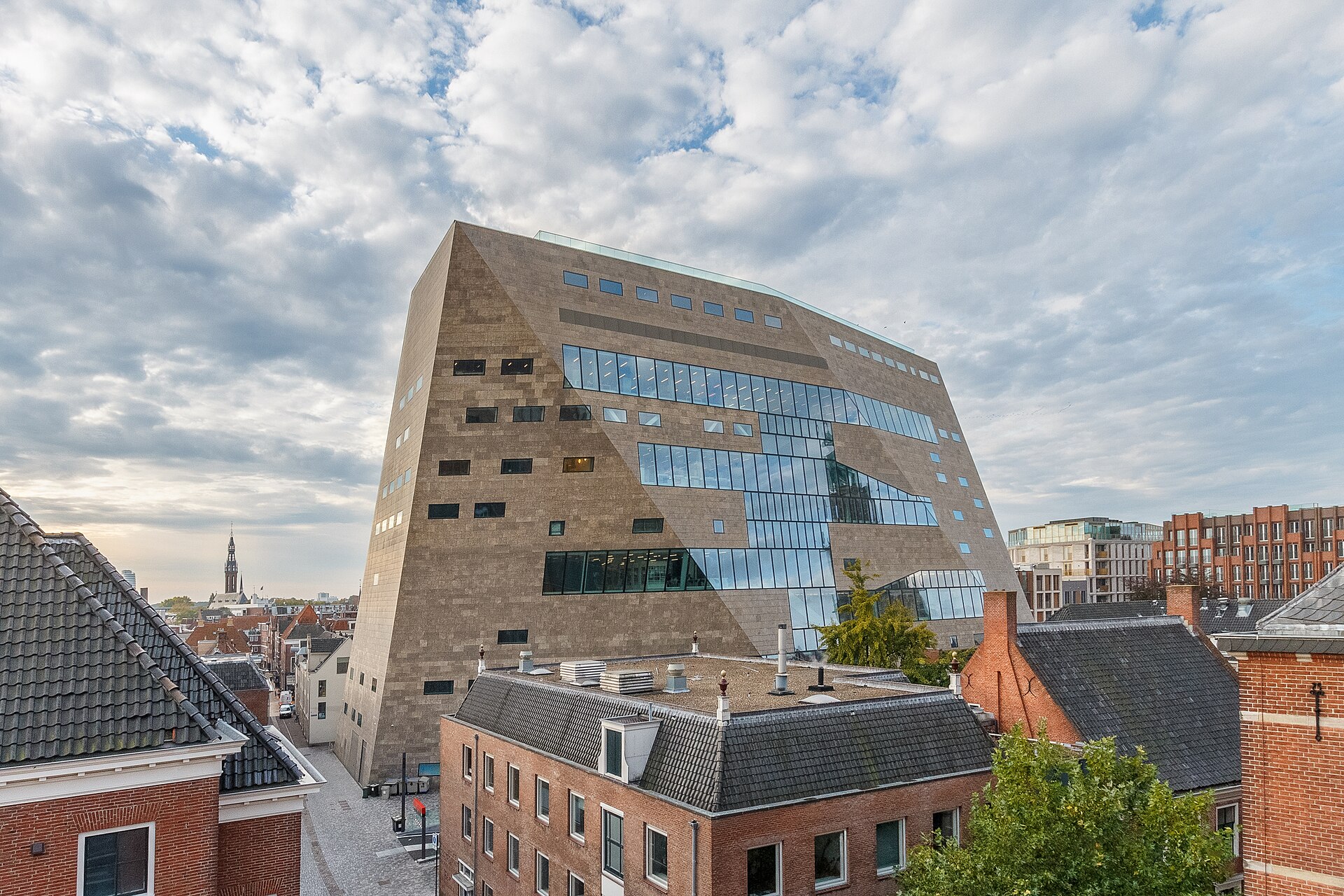
| Forum Groningen Nieuwe Markt 1 |
Public work and study tables throughout the building, usually with power. Floor 8 west includes quiet areas. | Open public space; no UG or Hanze card is listed as a general entry requirement. Some areas close earlier in the evening. | Monday–Saturday 09:00–00:00; Sunday 10:00–23:00. Entrance doors close earlier: 22:00 Monday–Thursday, 23:00 Friday–Saturday and 21:00 Sunday. |
| Hanze Library Zernike Zernikeplein 7 |
A library study environment including a quiet room with 60 study places. | Use Hanze’s current access information; do not assume that a general building opening automatically grants access to every room. | Monday–Thursday 09:00–20:00; Friday 09:00–17:00; closed Saturday and Sunday. |
Put the UG-only dates in your calendar now
The University of Groningen has published four upcoming periods in which the University Library is restricted to UG students and staff and advance seat reservation is mandatory:
- 12 October–4 November 2026;
- 4–27 January 2027;
- 15 March–7 April 2027;
- 31 May–23 June 2027.
During these periods, the UB states that a UG university card is required for entry and that no card means no entry. Do not wait until the first examination morning to discover this. Add a reminder one week before each period, confirm the opening hours and make the required reservation through the official system.
These restrictions also matter to non-UG students. A Hanze student who normally uses the UB should switch the backup plan to a Hanze location or Forum before cycling into the city centre. The published exceptions at the UB concern visitors with a specific valid reason, such as consulting Special Collections; they are not a general route around exam-period access rules.
Use a two-location plan on crowded days
Choose a primary space and a compatible backup before leaving home. The backup should solve the same task, not simply be another building name. If you need silent work, Forum’s floor 8 west or Hanze Zernike’s quiet room may be relevant alternatives. If you need a private discussion, neither an open Forum table nor a silent library room is appropriate; reserve a studio or use an institutionally approved call space.
- Check the official opening page for today, including holiday notices.
- Confirm whether your card is accepted and whether a booking is required.
- Check the task-specific facility: quiet zone, group room, computer, power or printing.
- Choose a backup within a reasonable walking or cycling distance.
- Set a departure rule: if no suitable seat is available within ten minutes, move to the backup instead of circling the building and becoming more distracted.
Reserve the smallest suitable resource
The UG University Library distinguishes between ordinary reading tables, individual study places and studios for one or two people or groups. Outside UG-only periods, ordinary UB study places are generally freely accessible, while studios can be reserved through the UB App. At the Medical Library, both individual places and group rooms require reservations.
Use that hierarchy carefully. One person writing an essay does not need a group studio. Four people preparing a presentation should not occupy four silent individual places while conducting the meeting in a corridor. Booking the smallest suitable resource leaves specialist rooms available to the people whose task actually requires them.
- Book only the hours you can realistically use.
- Cancel immediately when your class, deadline or travel plan changes.
- Do not create overlapping speculative bookings at several locations.
- Check in exactly as the local system requires; a calendar reminder is not proof of attendance.
Make breaks visible and proportionate
A short toilet or coffee break is part of studying. A desk left under a coat for an hour is different because nobody else can tell whether the student is returning in three minutes or after lunch. Follow the building’s posted break and absence rules. If no precise time is published, keep the break short, take valuable items with you and give up the place when you leave for a meal or another appointment.
The UG’s house rules ask users to respect other students and leave places tidy and clean. They also separate study zones from coffee corners. Food belongs in the designated coffee or canteen areas; water bottles and coffee cups are permitted through most of the UB, except the Special Collections room. This is not only a cleanliness rule: moving a full meal to the proper area reduces noise, smell and accidental damage at scarce desks.
Treat Forum as a public building, not an overflow campus
Forum explicitly welcomes studying and working and provides tables across the building, but those tables remain part of a multi-purpose public venue. Visitors may be reading, using the library, attending an event or simply spending time in the building. A student laptop does not create priority over every other legitimate use.
Use the quiet areas on floor 8 west for quiet work and move calls or group discussion elsewhere. Watch the difference between building hours and usable study-space hours: Forum notes that some areas close during the evening, and its entrance doors close before the building’s final published closing time. Arriving at 22:30 because the building is listed as open until midnight may fail on a Monday even though someone already inside can remain longer.
Build an accessibility plan without policing other users
Before exam week, identify an accessible entrance, lift route, suitable desk, toilet and quiet or low-stimulation alternative. Contact the building when the official page does not answer a material access question. A technically accessible seat is not useful when the route is blocked by bags, a lift is out of service or furniture has been moved.
Keep accessible furniture and circulation routes available, but do not challenge strangers about whether they “look” entitled to use them. Many disabilities and health conditions are not visible. Report a blocked route or broken facility to staff; let the institution handle access rules without asking another student to disclose medical information.
Use a 15-minute arrival routine
- Minute 0–2: enter with the required card or booking ready and check any notices about floors or temporary closures.
- Minute 2–5: choose the correct zone for the task before unpacking.
- Minute 5–7: take one seat, place bags out of routes and connect only the equipment you need.
- Minute 7–10: set one specific output for the first work block: 20 pages read, 10 problems attempted or one section drafted.
- Minute 10–15: download essential files, silence notifications and decide when the first short break will occur.
If the necessary seat or facility is unavailable after that first check, activate the backup plan. The goal is not to win a contest for the “best” desk; it is to begin the right work with the least avoidable friction.
A fair exam-week checklist
- Check access, opening hours and booking requirements on the official page.
- Carry the institutional card required for restricted periods.
- Reserve only a place that matches the task and cancel unused bookings.
- Keep one seat per person and leave neighbouring chairs available.
- Take calls and group conversations out of silent areas.
- Use designated eating areas and leave the desk clean.
- Keep breaks short enough that the seat is genuinely still in use.
- Report broken equipment, blocked access and persistent rule problems to staff.
- Move to the planned backup instead of improvising access or pressuring other users.